
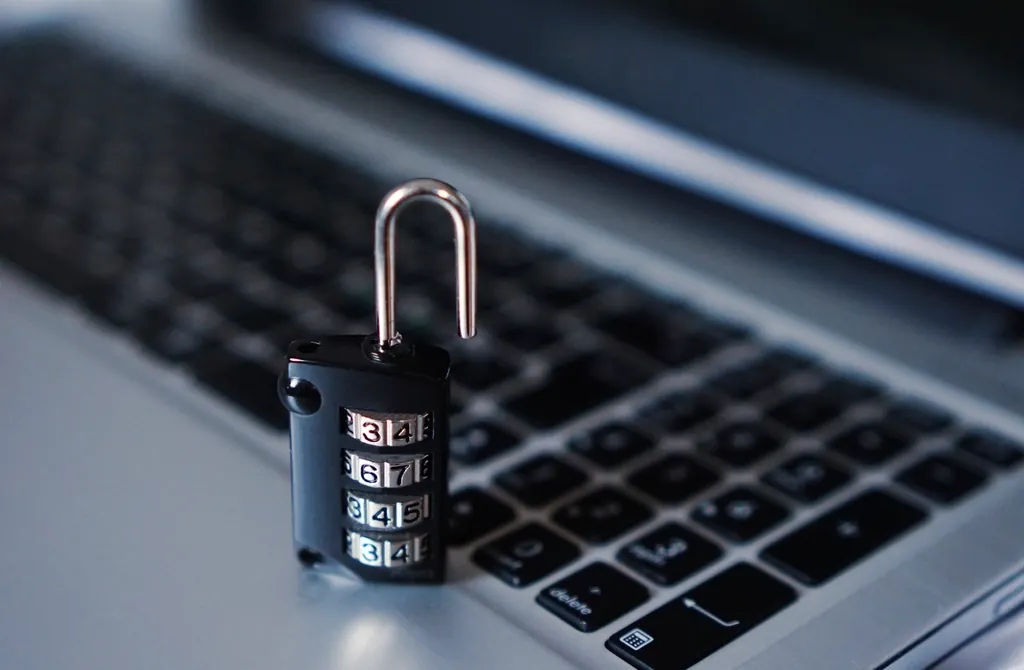
You have dozens of online accounts and, if you’re honest, probably a handful of passwords reused across them. That’s the single biggest hole in most people’s online safety: when one site gets breached, attackers try that same password everywhere else. A password manager fixes this completely — it creates and remembers a strong, unique password for every account, so you only have to remember one. Here’s what they are and why you want one in 2026.
What a password manager actually does
A password manager is a secure, encrypted vault for your logins. It generates long, random passwords you’d never remember, stores them, and fills them in automatically when you log in. You unlock the vault with one strong “master password” (and ideally a second factor). The whole point: you get a different, uncrackable password for every site without the impossible task of memorising them.
Why reused passwords are so dangerous
Big companies get breached regularly, and leaked password lists circulate online. Attackers take an email-and-password combo from one breach and automatically try it on banks, email, and shopping sites — a tactic that works precisely because people reuse passwords. Unique passwords break this: a leak from one site can’t unlock any other. It’s the same defensive logic as two-factor authentication, and the two work best together.
Are they safe? (Yes, and here’s why)
It feels risky to put all your passwords in one place, but a reputable manager encrypts everything so that even the company can’t read your vault — only your master password unlocks it. The realistic risk you face every day (reused, weak passwords) is far larger than the theoretical risk of a well-built vault. The terms here overlap with a lot of security jargon; our plain-English tech glossary explains the rest.
How to start
- Pick one. Popular options include Bitwarden (has a strong free tier), 1Password, and the password manager built into your browser or phone. Any reputable one beats reused passwords.
- Create a strong master password — long, memorable to you, used nowhere else. This is the one you must never forget.
- Turn on two-factor for the manager itself, so the vault needs more than the master password.
- Update your important logins first — email, banking, shopping — letting the manager generate new unique passwords as you go.
FAQ
Are password managers safe to use?
Yes. Reputable managers use strong encryption so only your master password can unlock the vault — not even the provider can read it. The everyday risk of reused, weak passwords is far greater than the risk of using one.
What happens if I forget my master password?
For security, most managers can’t recover it for you, so set up any recovery options they offer and store a backup safely. Choose a master password that’s long but genuinely memorable to you.
Is the free version good enough?
For most people, yes — free tiers like Bitwarden’s cover unlimited passwords across devices. Paid plans mainly add extras like secure file storage and family sharing.
A password manager is one of the highest-value security upgrades you can make. For more, start with our cornerstone tech words glossary, set up two-factor authentication, or browse more Tech guides.
Keep reading on Super Rat Machine
Start here — core guides
- Managing Money in Your 20s: A Beginner’s Guide
- Build a Productivity System That Survives Real Life
- Plain-English Tech Words You Keep Seeing (2026 Glossary)
- Tiny Habits That Compound: A Realistic Starter Guide
- How to Land a Remote Job From India (and Anywhere Else)
- Budget Travel Playbook: Plan, Book, Pack, Repeat
All articles
Career
- Before You Create a CricketBook ID Check These 10 Important Things
- How to Ask for a Raise: Scripts and Timing
- How to Build a LinkedIn Profile That Gets Noticed
- How to Negotiate Your Salary (Even If You Hate Confrontation)
- Cover Letters Are Dead — Except When They’re Not
- Freelance vs Full-Time Remote: Which Pays Better in India?
- How to Write a Resume That Survives ATS Filters in 2026
- Remote Job Interview: 12 Questions You’ll Be Asked
- How to Land a Remote Job From India (and Anywhere Else)
Habits
- How to Drink More Water: Simple Habits That Work
- How to Build a Reading Habit That Sticks
- 30 Days of Walking 8,000 Steps: An Honest Report
- How to Stop Doomscrolling Without Deleting Every App
- Morning Routines: What the Research Actually Says
- The Cheapest Habit Tracker That Actually Works (Paper)
- Tiny Habits That Compound: A Realistic Starter Guide
Money
- How to Improve Your Credit Score in India (CIBIL Basics)
- Good Debt vs Bad Debt: How to Tell the Difference
- How to Make a Monthly Budget That Actually Works
- How to Build a 3-Month Emergency Fund on a Small Salary
- Tax-Saving Investments for Salaried Employees (Section 80C Recap)
- Health Insurance for First-Time Buyers (India): What to Look For
- SIP vs Lump Sum: The Honest Comparison
- UPI vs Credit Card: When Each One Actually Wins
- Managing Money in Your 20s: A Beginner’s Guide
online batting
- Cricket ID – Complete Account Setup & User Information
- Skyexchange ID – Simple Account Setup Explained
- Getting Started with Laser247 Online for the First Time
- Cricbet99 New ID – Register Online & Login
- Laser247 Online – Important Features to Explore
- Cricbet99 ID – New User Registration Guide
- Playinmatch99 Online: Complete User Guide and Login Tips
- Laser247 ID – What Every New User Should Know
- Laser247 ID – Everything You Need to Know
- Online Cricket ID Provider: Features and Benefits Explained
- Trusted Cricket ID Login Guide: Simple Steps for Safe Account Access
- How to Protect Your Cricket ID Online Account
- Tiger Exchange Guide: Everything You Should Know Before Getting Started
- Tigerexch: Complete Guide to Features, Login & Online Access
online game
- Cricket ID – Complete Account Setup & User Information
- Laser247 Online – Important Features to Explore
- Playinmatch99 Online: Complete User Guide and Login Tips
- Laser247 ID – What Every New User Should Know
- Online Cricket ID Provider: Features and Benefits Explained
- Tiger Exchange Guide: Everything You Should Know Before Getting Started
- Tigerexch: Complete Guide to Features, Login & Online Access
Productivity
- Deep Work vs Shallow Work: How to Protect Your Focus
- How to Beat Procrastination: A Practical, No-Guilt Guide
- The Eisenhower Matrix: Prioritise When Everything Feels Urgent
- The Best Free Note-Taking Apps in 2026
- Time-Blocking for People Who Hate Time-Blocking
- Why Your To-Do List Keeps Failing (and the Fix)
- The 2-Minute Rule, Tested for 30 Days
- Build a Productivity System That Survives Real Life
Tech
- VPNs Explained: What They Do (and What They Don’t)
- Password Managers Explained: Why You Need One in 2026
- How to Spot a Phishing Email: 7 Red Flags
- Best Budget Laptops Under ₹50,000 in 2026: What to Look For
- Two-Factor Authentication: Set It Up in 10 Minutes
- RAM vs Storage vs Cloud: What’s the Difference?
- What Is an LLM, Really? A No-Jargon Explainer
- Plain-English Tech Words You Keep Seeing (2026 Glossary)